


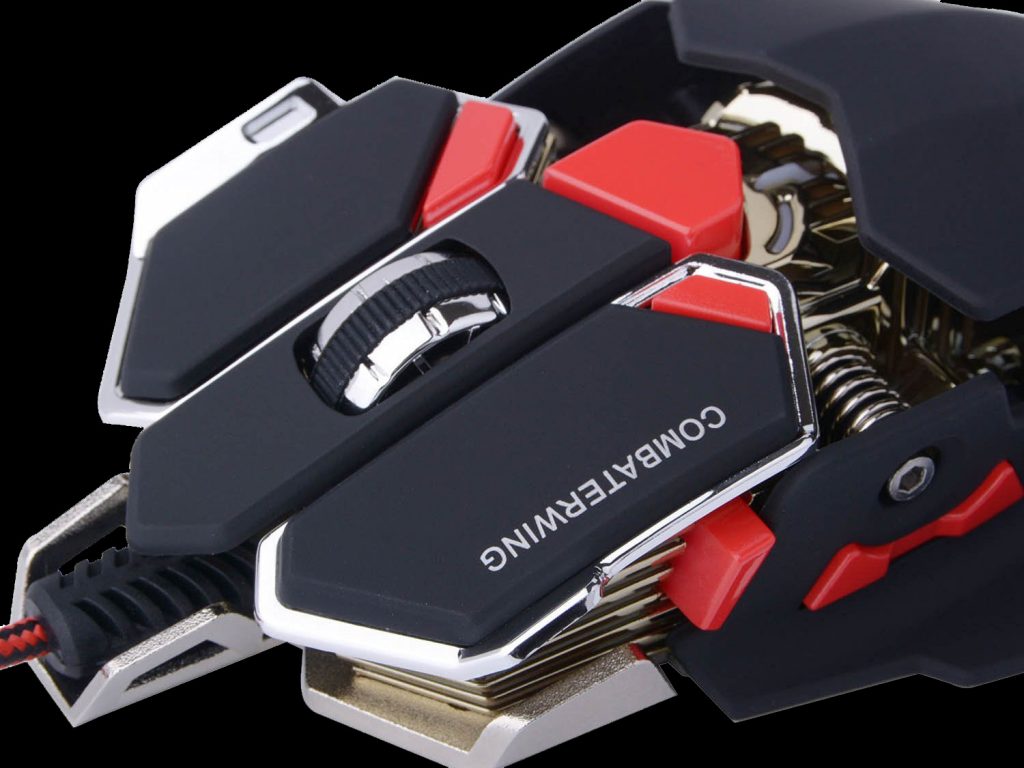
 We can all agree, the the biggest tools in a gamer’s arsenal aren’t just skills and knowledge, but clearly your input controls. Be it a mouse, keyboard, gamepad, joystick, or VR equipment; what you choose can say a lot about what you play, how you play, and maybe a bit about your personality. For years I used a Razer Naga as my mouse of choice due to its flexibility in gameplay and its friendly programing. However, the more I used it, the less I used it’s various features and the more it started to become worn out. Finally, it became high-time to look into a new mouse as it would often lock up after extended erratic movement, and with various holiday sales booming around I felt there wasn’t a better time. So I present to you the BlueFire® Combaterwing 4800 DPI gaming mouse.
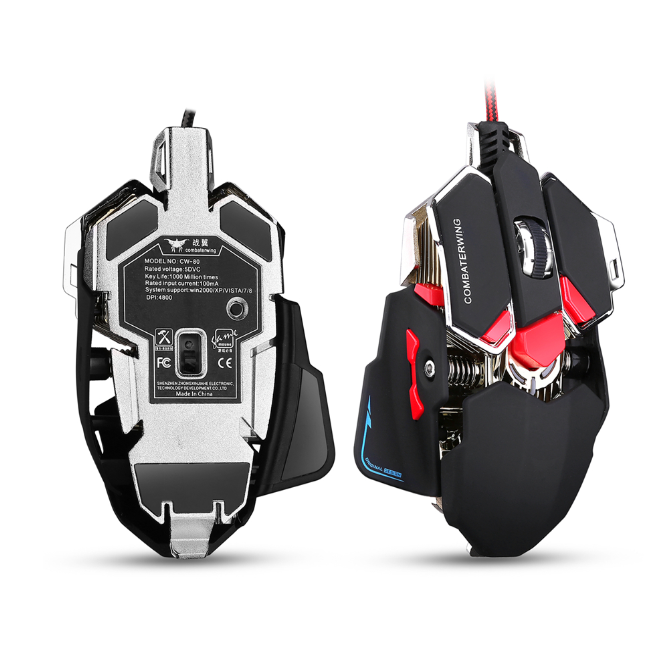
This mouse comes rooting a max total of 4800 DPI as the name suggests and has a very aggressive design, similar to the infamous R.A.T. mouse, however this I feel, lacks a lot of the problems R.A.T. mice are known for. The Combaterwing has a sturdy build with 10 buttons – most are programmable with software, and the ability to choose the colors you want. The central button out of the box allows you to select a DPI preset according to your gameplay style and changes the color to help you identify what mode you are in. While I haven’t had a chance to use the rest of the buttons as of yet, the main buttons and the scroll wheel definitely feel great when used and are very responsive. You hear a click it does its job. On top of it with the ability to flick through DPI settings I swear my FPS performance has gone up since adjusting to the size of the mouse.
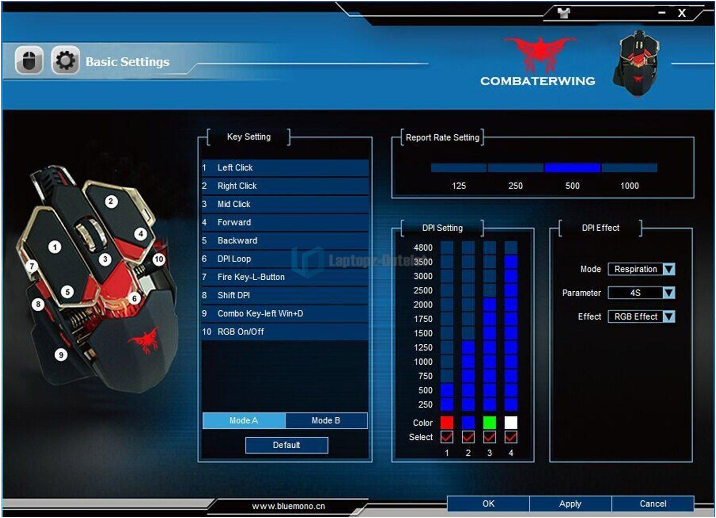 So far this mouse has more than surpassed my expectations. While it may not have weights like the R.A.T, this mouse is a solid build. While it is debatable if it is real metal or imitation metal, it looks and feels great, with a rubberized finish, plain metallic bottom and a very sensitive laser sensor. It easily moves on mouse pads and can detect well even if you pick it up by about an inch. For those of you who don’t care for the light show, have no fear. On the bottom of the mouse is a button dedicated to the lights and simply turns them either on or off. If nothing else, for its price it is worth every penny and double that if you catch it on sale.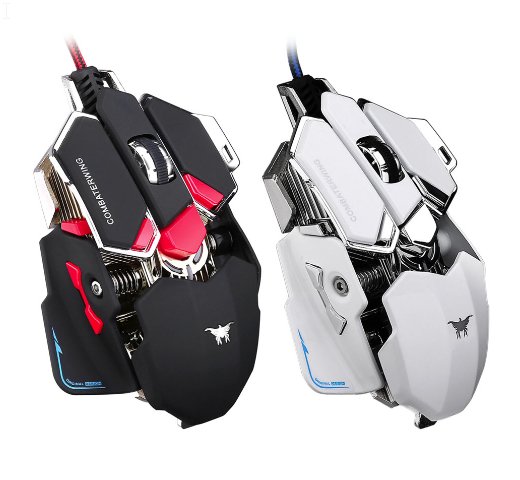
Now for the downside of this mouse – the main one is the directions have heavily eastern-influenced typing, I’m assuming Chinese. Also, when plugging it in, regardless of software or repeated plug ins, I’ve had it lock up my task bar briefly while the drivers tried to get going, which could be a software issue. On top of it, now that I went and found a picture of the white model, I simply wish they had kept the silver buttons on the black model to keep it more uniform and let the lights do the color effect for you.
But dark side or light, this aggressive mouse will leave you satisfied for getting a sharp looking and surprisingly high performance mouse for a rather good price. Next time I will be dropping a review of one of their keyboards that I bought to compliment it and replace my old worn-out standard office Logitech keyboard.