Bremen III Beef Ribs over Yellow Rice
December 6, 2015
Awesome Brews #7
January 10, 2016

Oddysee runs a Minecraft server running the Unabridged modpack.  I’m not going to lie, you need a halfway decent gaming PC to be able to run this mod-pack, but it’s rich with features and fun.

Below is step-by-step instructions from start to finish.  All you need as a prerequisite is a Minecraft account.
INSTALL 64-BIT JAVA

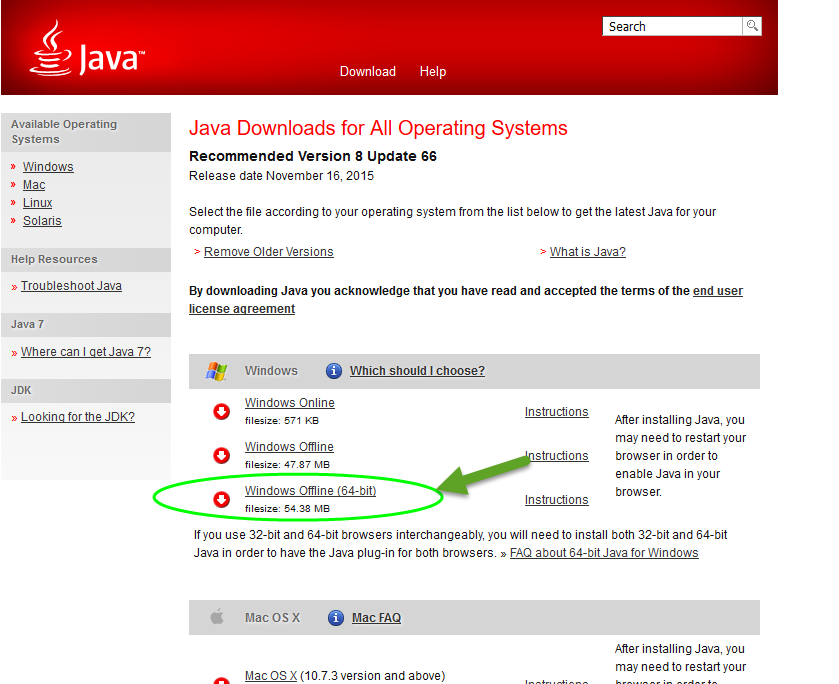
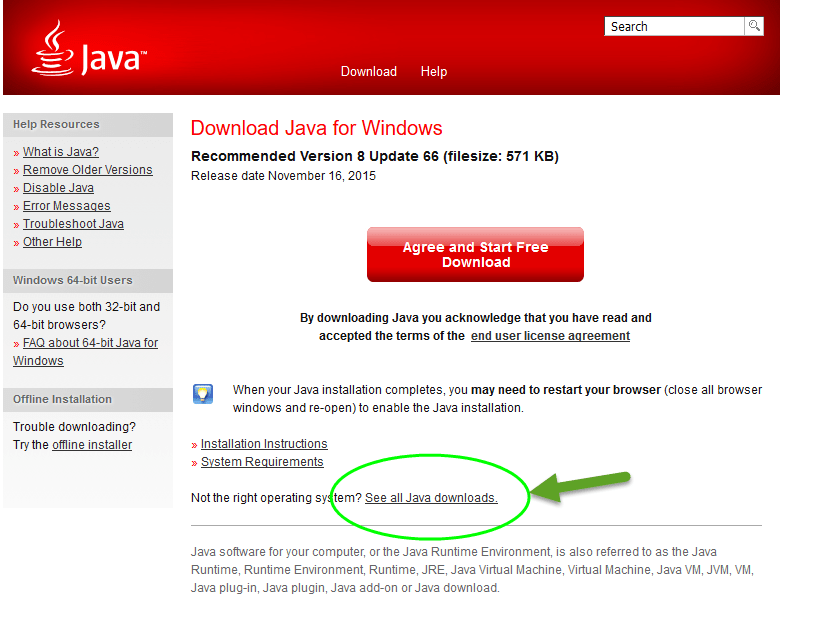
If you already know you have the latest 64-bit Java installed, ignore this step.  For those who want to make sure though, got to: http://www.java.com/en/download

Click on the link shown above “See all Java downloads”

Download and install the file shown above.   64-Bit Java is now installed!

INSTALL THE AT LAUNCHER

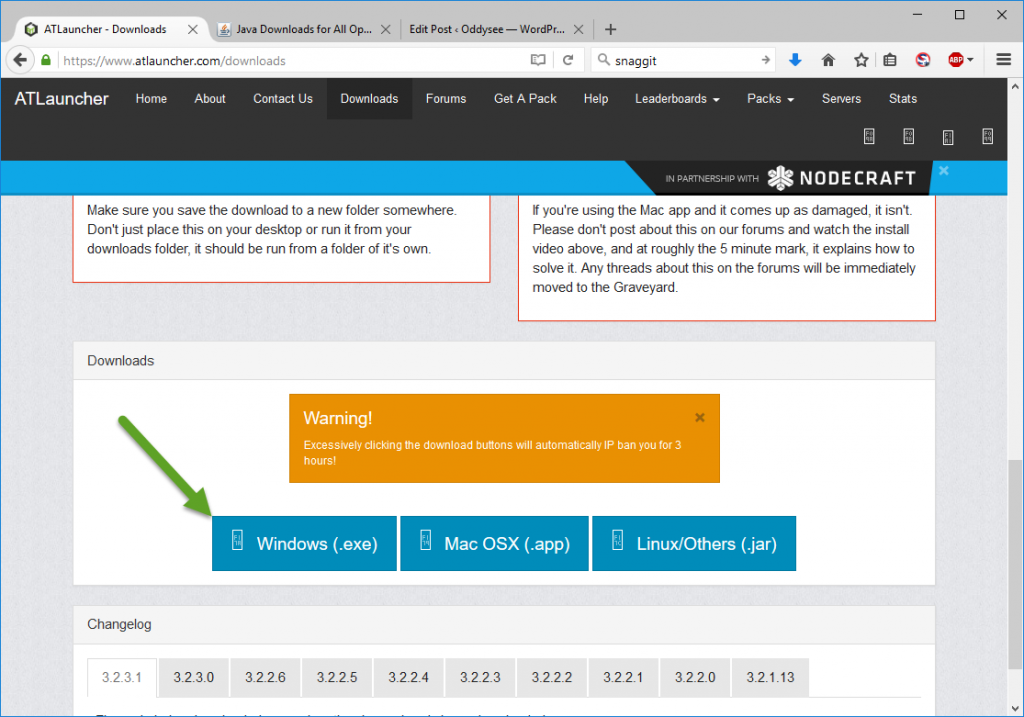
Next is to go get the AT Launcher from here: www.atlauncher.com/downloads

To install it, make an empty folder where you’d like to install Minecraft, drop the ATLauncher.exe in there, and run it.

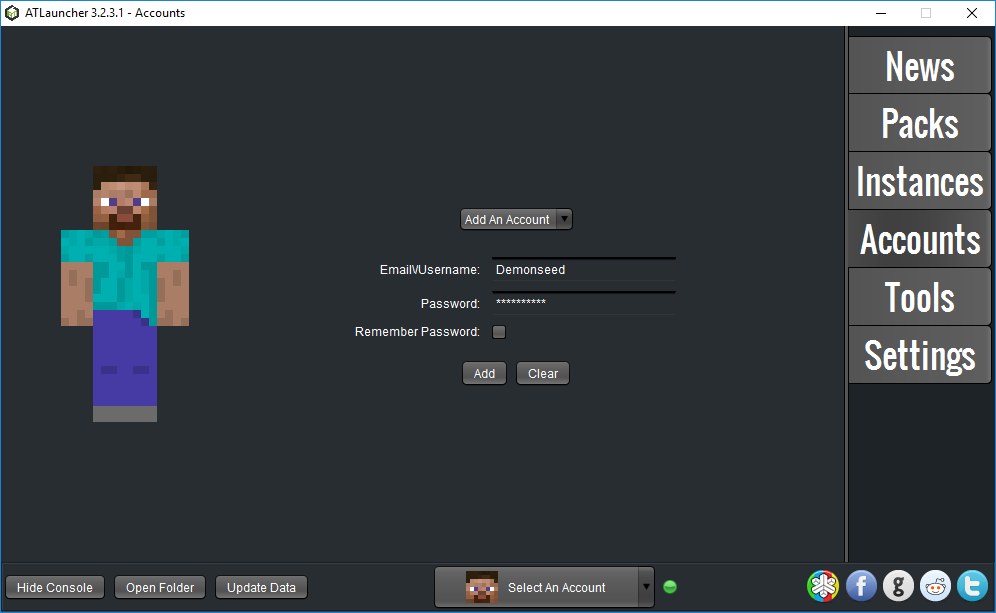
First click into “Accounts”

Enter your Minecraft/Mojang account information and click “Add”.

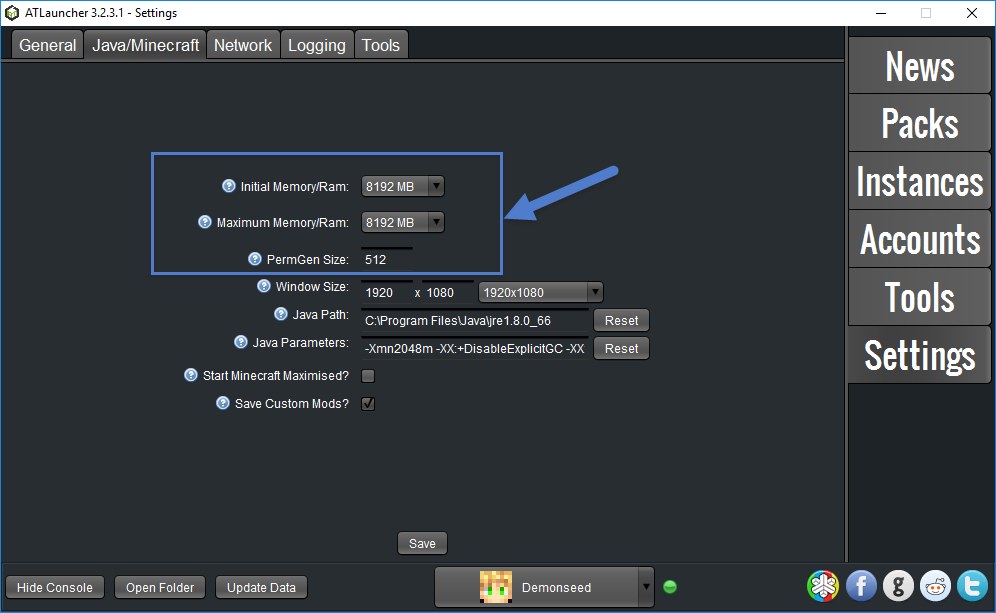
Click into “Settings”.

Adjust the top two settings according to the amount of RAM in your PC.
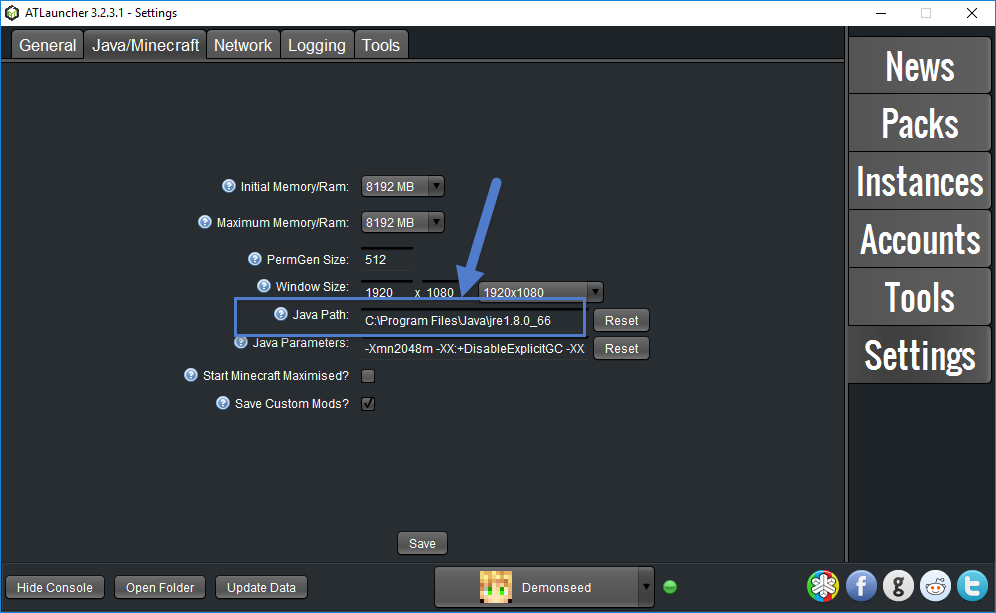
Since I have 16 GB, I set these to 8Gb each as shown.  I set both initial and Maximum to the same number so I don’t have to worry about the overhead of expanding and collapsing the RAM usage while I’m playing.

If you have 8GB, you should set these to 4Gb or even 6Gb if you’re running nothing else.

Double-check that it’s point to the 64-bit version of Java.  It should look exactly as above, with it looking in “Program Files” and NOT “Program Files (x86)”.

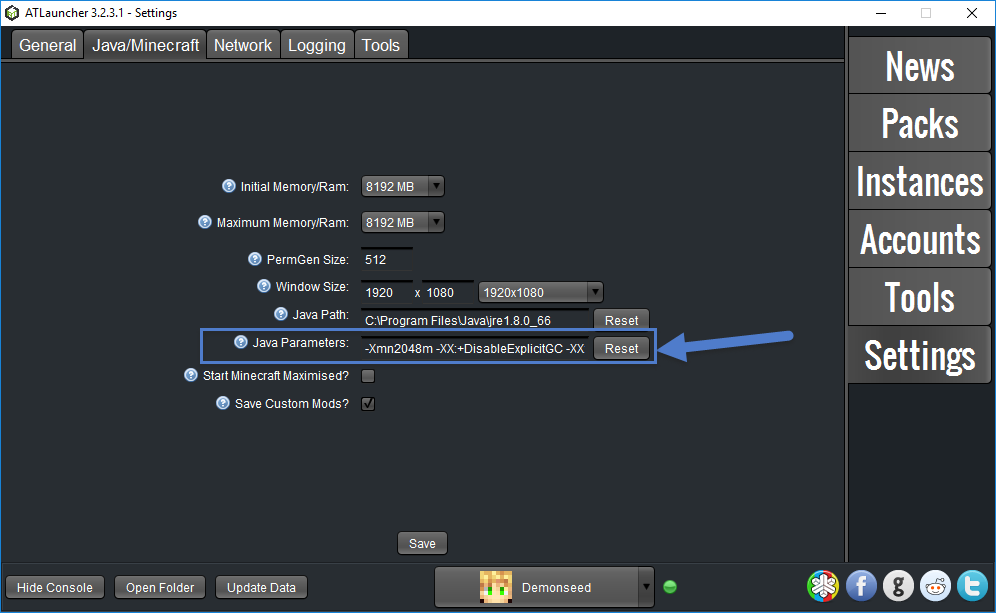
Under Java Parameters, copy-paste in the following if you have a 16Gb computer:

-Xmn2048m -XX:+DisableExplicitGC -XX:+UseConcMarkSweepGC -XX:+UseParNewGC -XX:+UseNUMA -XX:+CMSParallelRemarkEnabled -XX:MaxTenuringThreshold=15 -XX:MaxGCPauseMillis=30 -XX:GCPauseIntervalMillis=150 -XX:+UseAdaptiveGCBoundary -XX:-UseGCOverheadLimit -XX:+UseBiasedLocking -XX:SurvivorRatio=8 -XX:TargetSurvivorRatio=90 -Dfml.ignorePatchDiscrepancies=true -Dfml.ignoreInvalidMinecraftCertificates=true -XX:+UseFastAccessorMethods -XX:+UseCompressedOops -XX:+OptimizeStringConcat -XX:+AggressiveOpts -XX:ReservedCodeCacheSize=2048m -XX:+UseCodeCacheFlushing -XX:SoftRefLRUPolicyMSPerMB=20000

If you have an 8Gb computer, try the following instead:

-Xmn1024m -XX:+DisableExplicitGC -XX:+UseConcMarkSweepGC -XX:+UseParNewGC -XX:+UseNUMA -XX:+CMSParallelRemarkEnabled -XX:MaxTenuringThreshold=15 -XX:MaxGCPauseMillis=30 -XX:GCPauseIntervalMillis=120 -XX:+UseAdaptiveGCBoundary -XX:-UseGCOverheadLimit -XX:+UseBiasedLocking -XX:SurvivorRatio=8 -XX:TargetSurvivorRatio=90 -Dfml.ignorePatchDiscrepancies=true -Dfml.ignoreInvalidMinecraftCertificates=true -XX:+UseFastAccessorMethods -XX:+UseCompressedOops -XX:+OptimizeStringConcat -XX:+AggressiveOpts -XX:ReservedCodeCacheSize=512m -XX:+UseCodeCacheFlushing -XX:SoftRefLRUPolicyMSPerMB=20000

These settings are necessary or your performance will be pretty horrible.

Next click “Packs”

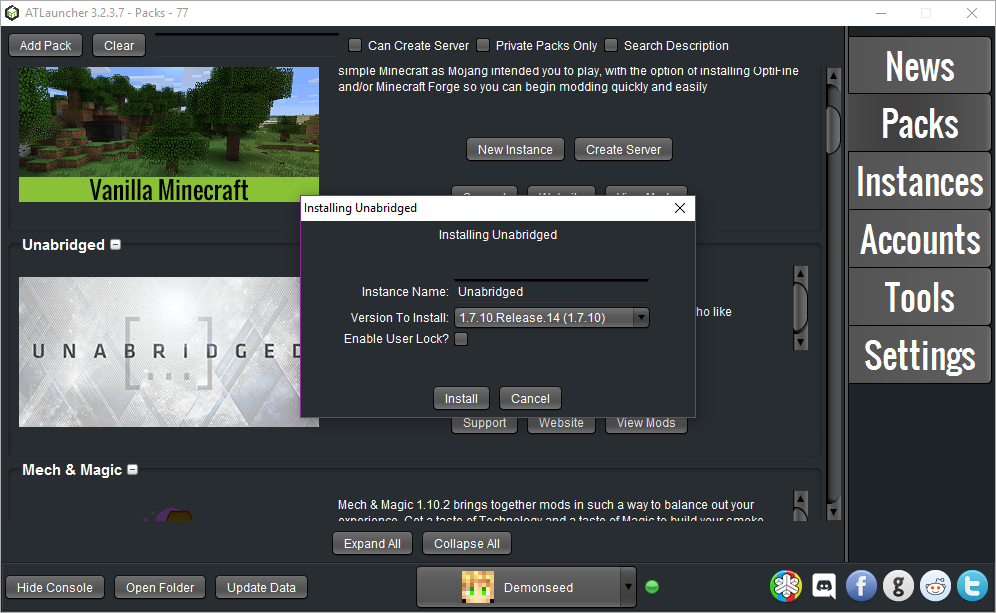
We’re running the Unabridged package.  Click “New Instance” to select it.

Choose Release 14 of the pack.

Edit the name if you wish.

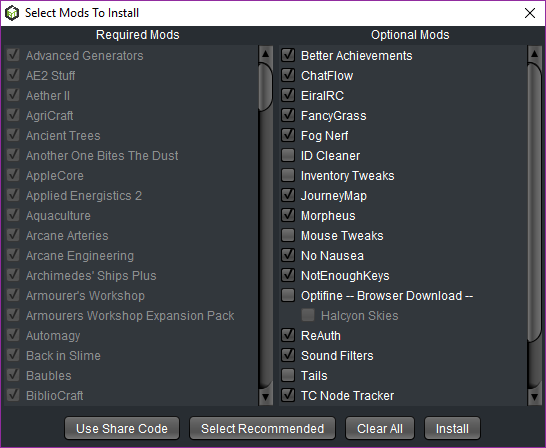
It’ll ask you for what mods to enable.  Unlike the last pack we ran on the server, all the “Optional” mods are purely client-side and optional.  Take your pick.  There is no share-code this time since all mods the server requires you to have are mandatory.

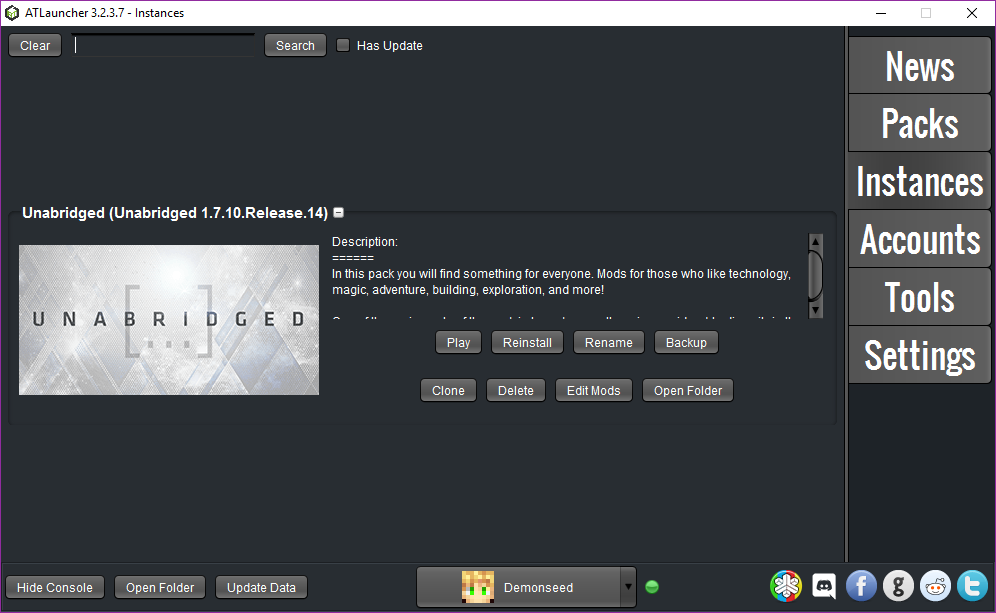
Finally, click “Instances” and “Play” to start the game!

RUN AND CONFIGURE MINECRAFT

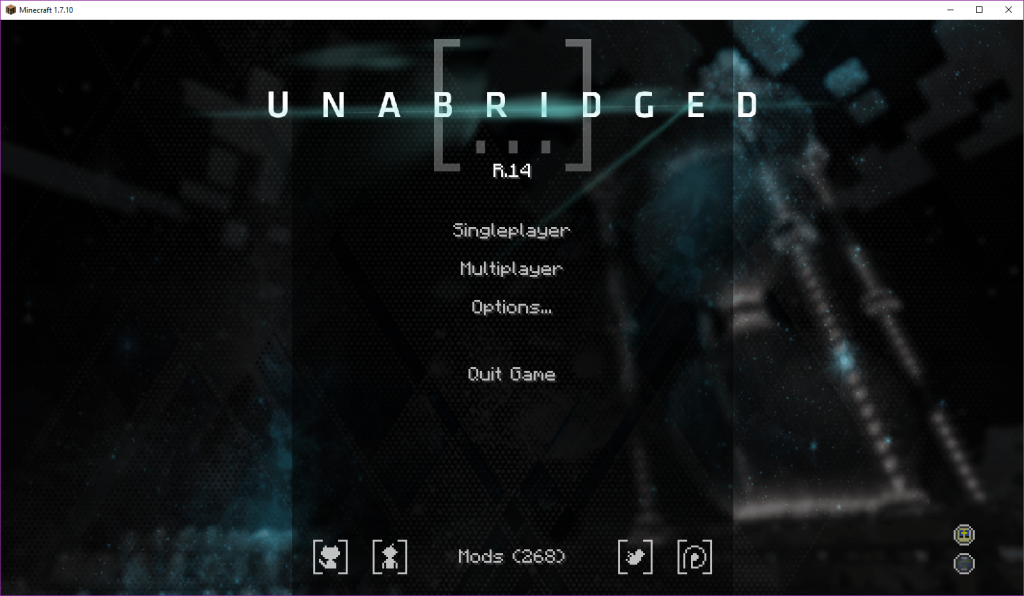
Minecraft will take a long time to load, a REALLY long time.  When it finally comes up, it will look like the image above.

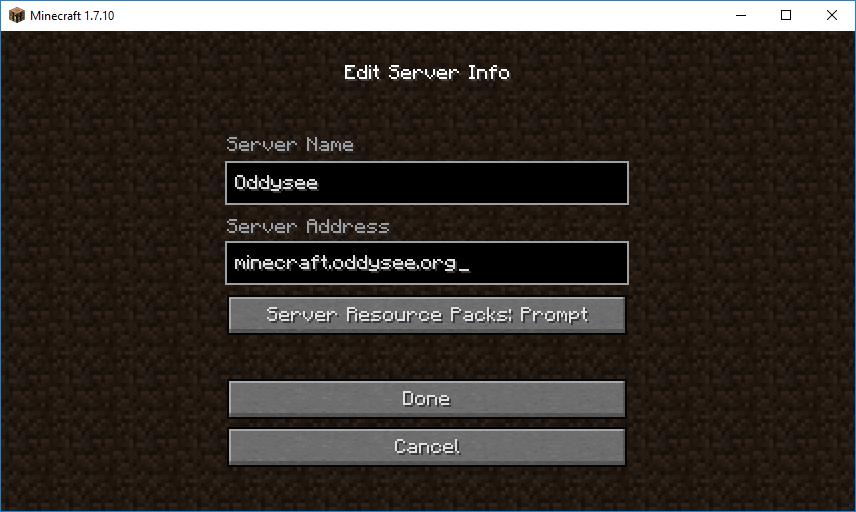
Click “Multiplayer”.   Give the server a name, and enter minecraft.oddysee.org as the address.

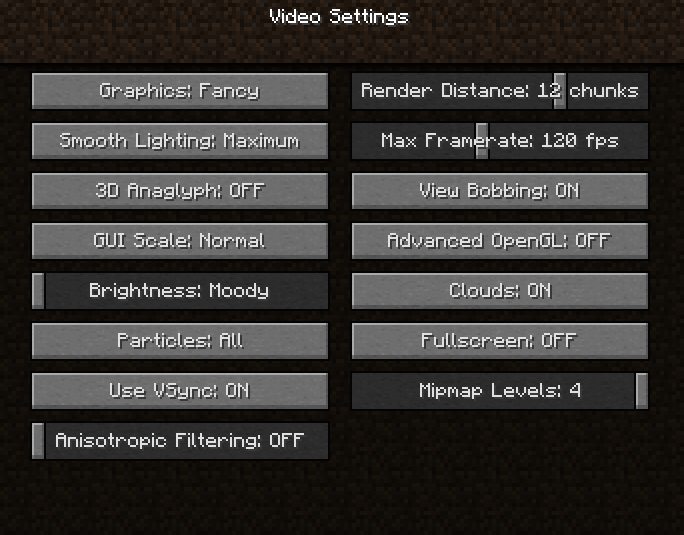
Once in, you may need to adjust Minecraft’s graphical settings as needed depending on hardware.  Attached is a screenshot of my settings for a really good PC.